How To Turn LinkedIn Comments & Likes Into Sales Leads

Every comment, like, or share on LinkedIn isn’t just engagement - it’s a sales opportunity waiting to happen. Here’s the deal: people interacting with your posts are already interested in what you’re saying. Instead of wasting time chasing cold leads, focus on these warm leads. Why?
- LinkedIn users influence decisions: 4 out of 5 members impact business choices, and they have twice the buying power of your average online audience.
- High success rates: Personalized connection requests to engaged prospects see 80%+ acceptance rates.
- Efficient lead generation: With just 15-30 minutes daily, you can create 30+ qualified leads per month.
The secret? Engagement signals intent. A comment or like isn’t random - it’s a sign someone’s paying attention. Use tools like LinkedIn Sales Navigator and workflows like RevBoss to track, prioritize, and follow up on these interactions. Focus on your Ideal Customer Profile (ICP) to maximize results and craft personalized messages that reference their engagement.
Start small: pick a recent post, identify three engaged prospects, and send them tailored messages. It’s simple, effective, and a direct path to turning LinkedIn activity into revenue.
The 2025 Sales Navigator MASTERCLASS (Lead Gen & Sales)
How LinkedIn Engagement Shows Sales Interest
LinkedIn engagement can be a strong indicator of genuine interest from prospects. These interactions often provide a glimpse into the challenges they’re facing in their business.
Scrolling through posts is a passive activity, but leaving a comment requires intent. For example, if someone comments on a post about supply chain challenges, it’s likely they’re dealing with that issue at the moment. Similarly, a timely comment on cash flow management suggests they’re wrestling with that specific concern right now.
Passive vs. Active Engagement: What They Reveal
Not all LinkedIn engagement is created equal, and understanding the difference is key to tailoring your follow-up.
- Passive engagement includes likes, reactions, or shares without added context. These actions are low effort and may signal general interest or agreement, but they don’t provide much insight into the person’s specific situation. However, if decision-makers consistently engage this way, it could hint at their acknowledgment of your expertise.
- Active engagement, on the other hand, involves thoughtful comments or shares that add context or personal insights. For instance, if someone comments on a post about reducing customer acquisition costs and shares their own experience or asks a question, it’s a clear signal they’re grappling with that topic. This type of engagement not only gives you a better understanding of their needs but also increases visibility, as their network sees the interaction.
Here’s an example: A comment about difficulties in securing executive buy-in highlights a specific pain point, giving you a clear opening for a targeted follow-up.
By recognizing these differences, you can align your outreach more effectively with the needs of your prospects.
Focus on Your Ideal Customer Profile (ICP)
Once you’ve identified the type of engagement, the next step is to focus on prospects who fit your Ideal Customer Profile (ICP). Not all engagement deserves equal attention. A like from someone outside your target audience is far less valuable than a comment from a senior executive who has decision-making power.
Your ICP should act as a filter for prioritizing interactions. Focus on individuals who meet your criteria in terms of industry, authority, and company size. Even if a post generates a lot of activity, much of it may come from people outside your target market, which can dilute the value of the engagement.
One effective strategy is to use an engagement scoring system tied to your ICP. For example, an interaction from a C-suite executive at a large organization should take precedence over one from someone with limited influence. Other factors like geographic location and the company’s growth stage can also help refine your focus. For founder-led teams with limited resources, targeting prospects within your primary market - such as North America - ensures your time is spent on leads with the highest potential.
The key to turning LinkedIn engagement into meaningful sales opportunities lies in being strategic with your follow-up. By focusing on interactions that align with your ICP, you can maximize your efforts and connect with prospects who are most likely to drive results.
How to Find and Prioritize High-Value Prospects
Once you’ve nailed down your ideal customer profile (ICP), it’s time to roll up your sleeves and identify the prospects who are genuinely interested in what you’re offering. This isn’t just about spotting likes or comments - it’s about systematically finding and ranking those who engage with your content in a meaningful way. To do this effectively, you’ll need a mix of LinkedIn tools and a touch of strategic thinking.
Track and Extract Engaged Users
Start by identifying users who are actively engaging with your content. While LinkedIn’s analytics provide a snapshot, you’ll need to dig deeper to turn this data into actionable insights.
- Act quickly on engagement. Click on the likes, comments, and shares to see who’s interacting with your posts. Don’t wait too long - engagement data can get buried over time.
- Pay attention to detailed comments. If someone takes the time to write a thoughtful response - like sharing their struggles with cash flow - that’s a clear signal of genuine interest, not just casual scrolling.
To keep all this organized, create a simple tracking system. A spreadsheet or CRM works perfectly. Track key details like the person’s name, company, job title, type of engagement (e.g., comment or like), post topic, and their connection level. Spending just 15-20 minutes per post on this process can significantly boost the quality of your leads.
Also, take advantage of LinkedIn’s notification system. Enable alerts for post interactions so you can respond quickly. A fast response often leads to deeper conversations, giving you more insight into a prospect’s needs.
Segment Prospects with LinkedIn Sales Navigator
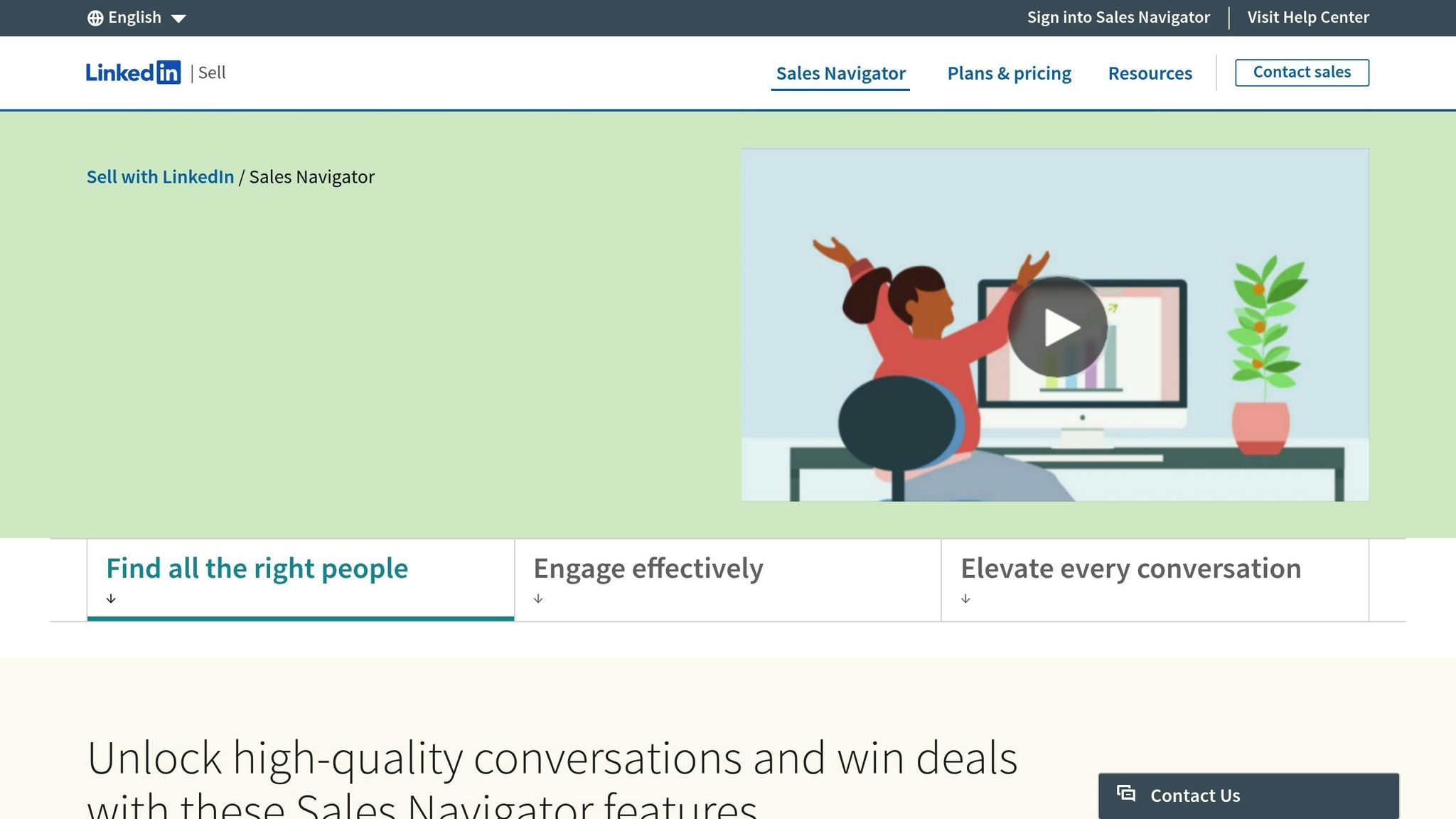
Once you’ve collected engagement data, LinkedIn Sales Navigator can help you turn that information into a focused prospecting strategy. Its advanced filters allow you to zero in on the prospects that matter most to your business.
- Use advanced filters to refine your list. Narrow down prospects by criteria like recent activity, job changes, or company size. For example, if your sweet spot is companies with 50-200 employees, filtering by company size ensures you’re not wasting time on leads outside your target range.
- Spotlight job changers. People who’ve recently started new roles are often looking for fresh solutions, making them prime candidates for outreach.
- Leverage lead recommendations. If a VP of Operations at a manufacturing company liked your post, Sales Navigator can suggest other VPs of Operations in similar companies who might also be interested in your content.
You can also create saved searches tailored to different scenarios. For example, set up one search for C-level executives who’ve engaged with your content, another for mid-level managers, and a third for prospects in specific industries. This segmentation allows you to tweak your approach based on seniority or sector.
Once your list is segmented, focus on active second-degree connections to refine your outreach even further.
Target Second-Degree Connections and Active Users
Second-degree connections are your golden ticket to building a warmer lead pool. These individuals are more likely to accept your connection requests because you share a mutual contact, making them easier to approach than cold leads.
- Engage with second-degree connections who’ve interacted with your content. Mention the specific post they engaged with and reference your mutual connection when sending a request. This personal touch significantly increases your chances of acceptance.
- Look for recent activity. Prospects who post, comment, or share regularly are more likely to see and respond to your outreach. Sales Navigator’s activity filters make it easy to identify these active users.
Pay attention to prospects who’ve commented on industry-related posts or shared content tied to your expertise. For instance, if someone recently shared an article about supply chain optimization, they’re likely dealing with related challenges and could be open to discussing solutions.
Don’t overlook geography. If your business focuses on the North American market, prioritize prospects in similar time zones. This makes scheduling calls more convenient and can speed up your sales cycle.
Ultimately, balance is key. A second-degree connection who perfectly matches your ICP but hasn’t been active on LinkedIn for months may be less valuable than a slightly less ideal prospect who’s consistently engaging with industry content. Keep your focus on relevance and activity to maximize your efforts.
Write Personalized Outreach Messages
Once you've pinpointed and ranked your prospects, it's time to craft outreach messages that actually get responses. Let’s face it - generic LinkedIn messages are a one-way ticket to being ignored. Instead, focus on creating personalized messages that reference specific details about your prospect. The goal? Make your outreach feel natural and relevant, like a genuine introduction.
Research Engaged Profiles for Personalization
Now that you’ve got your list of prospects, roll up your sleeves and dive into some research. The more you know about your prospect, the better you can tailor your message. Start by combing through their LinkedIn profile and recent activity. Did they post about a challenge their team is facing, like improving productivity? That’s gold for crafting a relevant message. Keep an eye on company updates too - things like new funding rounds or product launches can signal opportunities to connect.
Don’t stop there. Look for mutual connections and check out their engagement patterns. For instance, if they’re someone who often comments thoughtfully on industry posts, they’re probably open to professional conversations. Pay attention to their tone - are they formal or casual? This can guide how you approach them. Also, if they’ve been involved in the industry through speaking gigs or professional groups, those can be great conversation starters.
Use Engagement as a Conversation Starter
If a prospect has interacted with your content, use that as your opening. Be specific. For example:
"I saw your comment on my post about financial planning for growing businesses and noticed you mentioned cash flow challenges. That’s a topic I’m passionate about - would love to hear more about your experience."
Even simple actions like a "like" can be a conversation starter. Try something like:
"Thanks for liking my post on streamlining operations! I noticed you're leading efficiency initiatives at [Company]. I’d love to hear more about the challenges you’re tackling."
If their comment highlights a problem you can solve, address it directly:
"Your comment about finding reliable suppliers really struck a chord. We’ve worked with manufacturing teams facing similar hurdles - would love to learn more about your specific needs."
Keep your tone friendly and professional. Avoid being overly formal - it’s about starting a conversation, not writing a business letter. Once you’ve personalized your message, timing your outreach is the next big step.
Best Practices for Outreach Timing and Follow-Up
Even the most tailored message can fall flat if it hits your prospect at the wrong time. Timing is everything. To boost your chances of getting noticed, send your messages on weekdays, ideally Tuesday through Thursday. Aim for times when people are most likely to check their inboxes - mid-morning (10:00 AM–11:00 AM), lunchtime (12:00 PM–2:00 PM), or late afternoon (4:00 PM–5:00 PM) - all in your prospect’s time zone.
"Timing your outreach helps increase the chances of your message being seen and acted upon", says Saurav Gupta, Founder & CEO of SalesRobot. "Sending your message at the right moment is the only way to make sure it doesn't avoid getting lost in crowded inboxes."
Time zones matter. A message sent at 2:00 PM your time could land in your prospect’s inbox at an inconvenient hour, so plan accordingly.
When it comes to follow-ups, don’t wait too long. A good rule of thumb is to follow up 2–3 days after your initial message. This keeps the conversation fresh without coming across as pushy. Keep your follow-up short but add something new - maybe an insight, a relevant article, or a connection to their industry. And remember, weekends are a no-go for outreach. Stick to weekdays to keep your messages timely and professional.
sbb-itb-9354cf2
Use LinkedIn Tools and RevBoss Workflows
Juggling multiple prospects manually can quickly become overwhelming. That’s where LinkedIn’s built-in tools and RevBoss automation come in to save the day. By letting these technologies handle the repetitive tasks, you can focus on what really matters - building genuine connections. Tools like LinkedIn Sales Navigator and RevBoss workflows work together to turn engagement into real leads.
Track Engagement with LinkedIn Sales Navigator
LinkedIn Sales Navigator is a game-changer for keeping tabs on your prospects without the hassle of manual tracking. Instead of constantly checking who’s liking or commenting on your posts, you can set up saved searches based on your ideal customer profile. These searches automatically update your lead lists as prospects interact with your content, saving you both time and effort.
And here’s the kicker: InMail credits don’t just let you message prospects - they also give you valuable insights, like shared connections and the best times to reach out. This makes it easier to connect with engaged prospects in a way that feels timely and natural.
Integrate RevBoss Workflows for Lead Nurturing
While LinkedIn helps you identify who’s engaging with your content, RevBoss takes it a step further by automating the follow-up process. This ensures that the initial spark of interest turns into meaningful, ongoing conversations.
RevBoss workflows are particularly handy for scaling your outreach. For instance, audience growth campaigns target prospects with similar engagement behaviors, broadening your reach. Activation campaigns, on the other hand, nurture these engaged prospects through a mix of LinkedIn and email touchpoints. This gradual, consistent contact helps build familiarity and trust.
Additionally, RevBoss demand generation workflows can trigger personalized follow-ups when a prospect hits specific engagement milestones. This creates a smoother path from casual interest to serious sales discussions.
Build Trust Through Consistent Content and Engagement
Automation is great, but it’s the consistent delivery of valuable content that keeps prospects engaged over time. RevBoss workflows ensure your audience regularly receives content that adds value, helping you stay top of mind when they’re ready to make a decision.
Content scheduling workflows make it easy to maintain steady communication, while engagement automation can suggest follow-up actions - like sending a timely response or recommending relevant content - based on interactions. This creates a seamless, personalized experience that prospects will appreciate.
To take it a step further, authority-building campaigns help position you as a thought leader in your industry. By focusing on topics that resonate with your audience, these campaigns establish your expertise and elevate your credibility, making your overall LinkedIn and RevBoss strategy even more impactful.
Measure and Improve Your Engagement-to-Lead Process
Tracking the right metrics can be the difference between LinkedIn lead generation that works and efforts that go nowhere. Once you've got your engagement tracking and RevBoss workflows in place, it’s time to zero in on the numbers that actually matter.
Key Metrics to Track for Success
Start by measuring your engagement-to-lead conversion rate - this shows how many of your interactions turn into qualified leads. Keep an eye on likes, comments, and shares on your posts, and then track how many of those people respond positively to your outreach efforts.
Next, pay attention to response rates from your personalized messages. This metric tells you whether your outreach is connecting with your audience. Engagement-based outreach, which targets people already interacting with your content, often delivers higher response rates.
Another key metric is pipeline velocity, which helps you spot where prospects are getting stuck in the process of becoming qualified leads. This also gives you a clear view of how well your LinkedIn engagement strategy is working.
Finally, look at the ratio of insightful comments to overall engagements. This helps you assess lead quality by identifying which types of content attract the most meaningful interactions.
These metrics set the stage for using analytics tools to fine-tune your approach over time.
Use RevBoss and LinkedIn Analytics for Improvement
Once you’ve identified your key metrics, use analytics tools to sharpen your strategy. LinkedIn’s built-in analytics can show you how your content is performing, while RevBoss provides deeper insights into what happens after someone engages with your posts.
Start by identifying patterns in your best-performing content. For example, if posts that address specific industry pain points consistently draw in high-quality leads, consider focusing more on those topics. RevBoss can also help you spot high-conversion prospects based on their engagement behavior.
A/B testing becomes much easier with RevBoss. Experiment with different outreach strategies - tweak your conversation starters, adjust message lengths, or test follow-up timings. Use the data to refine your approach and improve both response and conversion rates.
By combining LinkedIn and RevBoss insights, you can figure out which types of engagement lead to the best results. Some posts might rack up tons of likes but lead to few conversions, while others might drive fewer interactions but attract higher-quality leads. This knowledge helps you fine-tune your content and outreach to generate more revenue.
Manual Tracking vs. RevBoss Workflows Comparison
As your lead volume grows, understanding the trade-offs between manual tracking and automated workflows becomes critical. Here's a quick breakdown:
| Aspect | Manual Tracking | RevBoss Workflows |
|---|---|---|
| Time Investment | Requires significant daily effort | Automates tasks, saving time |
| Lead Response Time | Delayed due to manual processes | Speeds up responses with automation |
| Prospect Capacity | Limited by your available time | Handles larger volumes efficiently |
| Data Accuracy | Prone to human error | Ensures reliable, automated tracking |
| Scalability | Difficult to scale as leads increase | Grows seamlessly with your business |
| Follow-up Consistency | Can result in missed or irregular follow-ups | Ensures consistent, systematic follow-ups |
Manual tracking might work when you're just starting out, but as your LinkedIn presence grows, it can quickly become overwhelming. RevBoss simplifies the process by automating repetitive tasks and ensuring every engaged prospect gets the attention they deserve.
With automation, you gain access to accurate, consistent data that helps you refine your strategy and outreach. More importantly, it frees up your time so you can focus on what really matters - creating engaging content and building meaningful relationships with qualified prospects.
Conclusion: Turn Engagement into Revenue for Founder-Led Teams
LinkedIn engagement isn’t just about racking up likes, comments, or shares - it’s a direct line to potential customers who are already showing interest in what you have to offer. Each interaction is more than just a number; it’s a signal that someone is paying attention. These are warm leads, far more likely to respond than the cold outreach that often gets ignored. Use these moments to start personalized conversations by referencing their specific interactions, instead of brushing them off as vanity metrics.
For founder-led businesses, this approach becomes even more powerful. Your personal brand carries a weight that corporate messaging simply can’t replicate. People are naturally more inclined to trust and engage with outreach coming from a founder rather than a faceless sales rep. This authenticity is your secret weapon in turning LinkedIn engagement into actual revenue.
The key to success here is consistency. The difference between founders who thrive with this strategy and those who don’t often comes down to how consistently they manage their engagement. Sure, tracking a handful of interactions manually might work in the beginning, but as your LinkedIn presence grows, it’s easy for potential leads to slip through the cracks. That’s where having scalable systems becomes essential.
This is where tools like RevBoss workflows can make a huge impact. Instead of spending hours manually tracking likes and crafting follow-ups, you can focus your energy on what truly matters - creating content that resonates and building real connections with your audience. Automation takes care of the repetitive tasks while still keeping the personal touch intact, which is what makes founder-led outreach so effective.
Here’s a simple way to get started: pick one of your recent posts that had strong engagement. Identify three potential leads who fit your ideal customer profile and interacted with that post. Send them personalized messages that reference their engagement. Then, track the results. This small experiment will show you just how powerful LinkedIn engagement can be for generating real sales opportunities.
Your audience is already signaling their interest. It’s up to you to turn those digital interactions into meaningful conversations - and ultimately, measurable revenue for your business.
FAQs
How can I identify LinkedIn interactions that are most likely to turn into sales leads?
When it comes to pinpointing LinkedIn interactions that could lead to conversions, keep an eye on users who actively engage with your content. Look for thoughtful comments or frequent likes on posts tied to your industry - these actions often signal genuine curiosity and a willingness to explore what you offer.
Another goldmine? Relevant LinkedIn groups or niche discussions. Users who ask smart questions or contribute meaningful insights are often strong candidates for leads. Focus on these interactions, and if you want to take it up a notch, tools like LinkedIn Sales Navigator can help you zero in on high-potential prospects with ease.
How can I personalize my LinkedIn outreach to prospects who interact with my posts?
When reaching out on LinkedIn, make it personal and engaging right from the start. Use their name and mention something specific from their profile - maybe their job title, a skill they’ve showcased, or a recent accomplishment. If they’ve interacted with your content, like leaving a comment or liking a post, bring that up to show you’re paying attention.
Another great way to connect is by pointing out shared connections, common interests, or topics relevant to your industry. Keep your message short, approachable, and focused on what matters to them. A little personalization goes a long way in sparking genuine conversations.
How can LinkedIn Sales Navigator and RevBoss workflows help turn engagement like comments and likes into sales leads?
LinkedIn Sales Navigator simplifies the process of finding and connecting with the right prospects by providing advanced filters, insightful data, and tools tailored for personalized outreach. It helps you zero in on high-potential leads by analyzing their interactions with your content, such as comments or likes.
RevBoss takes this a step further by automating key tasks like growing your audience, engaging with prospects, and managing follow-ups. Designed with founder-led businesses in mind, these workflows turn LinkedIn interactions into qualified sales leads more effectively, cutting down on time spent while boosting results.